Blog Posts

Sep 105 min read
Blog Posts

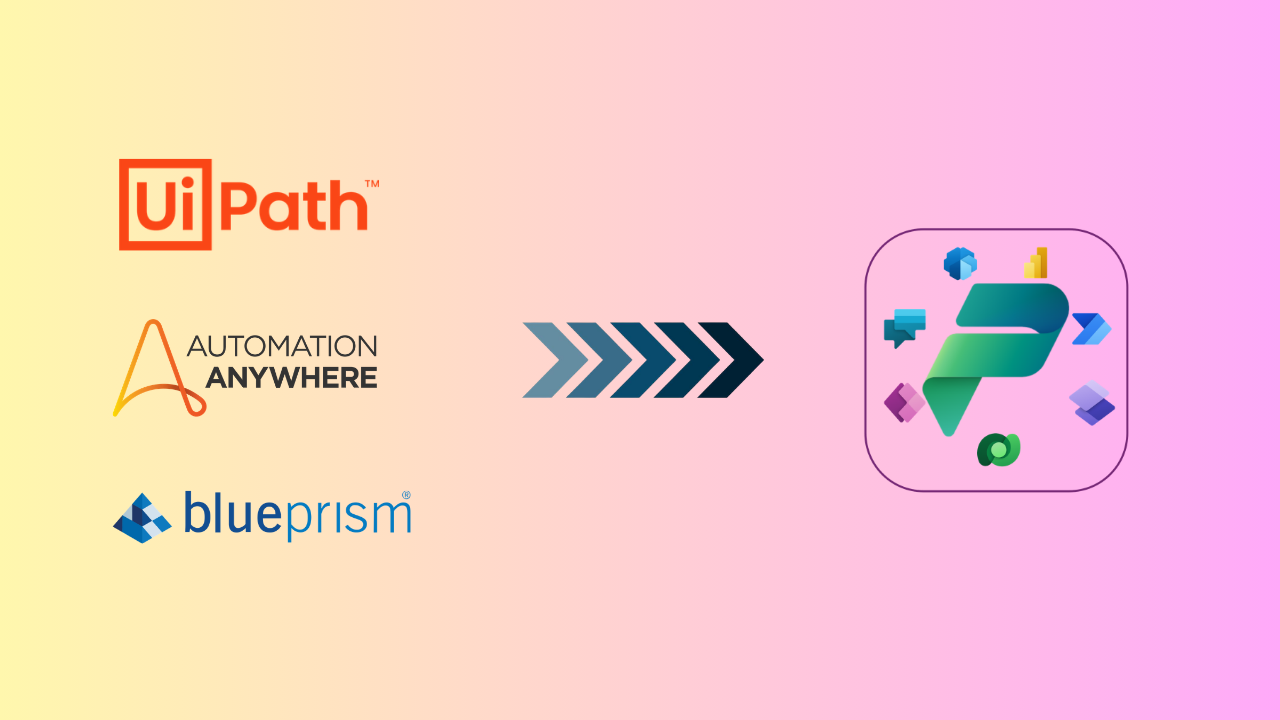
RPA to Power Platform Migration: Why Enterprises Are Making the Switch!

Robotic process automation has transformed how enterprises handle repetitive work, but the legacy tools that once led the market now hold many organizations back. As business demands shift toward AI-driven, cloud native operations, companies built on older RPA platforms are discovering that yesterday's automation investment cannot keep pace with today's expectations. Migrating or modernizing to Microsoft Power Platform has become one of the most practical ways to close that gap. Why Legacy RPA Platforms Are Losing Ground Legacy RPA tools were built for a different era of technology, and the cracks are becoming harder to ignore. Organizations report that outdated systems can slow automation efficiency by as much as 75 percent, a gap that widens as business processes grow more complex. Roughly 60 percent of CIOs now consider their existing RPA platforms a direct barrier to scaling automation across the enterprise, and half of all legacy RPA implementations fail to deliver the return on investment that was originally promised. Several factors are driving this shift: Longer time to deliver automation: Legacy platforms often require heavier development cycles, delaying the value automation is supposed to provide. Citizen development that never materialized: Many tools promised to empower business users but remained locked behind technical complexity. Underwhelming ROI: Licensing, maintenance, and infrastructure costs frequently outweigh the efficiency gains delivered. Difficulty scaling : What works for a handful of bots often breaks down when automation needs to expand across departments. Missing AI capabilities: Static, rules-based automation cannot handle unstructured data or adapt to changing conditions. Limited integration: Many legacy platforms were not designed to connect with modern cloud services and applications. These challenges are not isolated incidents. They point to a structural mismatch between what legacy RPA was built to do and what today's digital enterprise needs. Why Microsoft Power Platform Is the Right Fit for Modern RPA Microsoft Power Platform addresses these gaps directly, offering a foundation that is built for how organizations operate now rather than a decade ago. Lower total cost of ownership: Consolidated licensing and native Microsoft integration reduce the overhead that legacy platforms often carry. Seamless integration with your existing tech stack: Power Platform connects naturally with Microsoft 365, Dynamics 365, Azure, and hundreds of third-party connectors. Low-code and no-code interface: Business users can build and adjust workflows without waiting for specialized developers. AI-first, cloud-first automation: Power Platform was designed from the ground up for cloud scalability and intelligent process automation. Recent updates introduced self-healing desktop flows, which use AI agents to automatically adapt automations when underlying systems change, addressing the brittleness that has long plagued legacy RPA bots. AI-powered workflows: Copilot and AI Builder bring predictive and generative capabilities directly into everyday automation. Microsoft Copilot Studio's unified workflow designer, which reached general availability in August 2026, now let’s makers combine structured, rules-based steps with AI agent nodes on a single canvas, including computer-using agent nodes that can carry out browser and desktop automation directly within a workflow. Robust governance and compliance: Centralized administration through the Power Platform admin center gives IT the visibility and control that legacy tools often lack. New AI-powered governance agents can automate tenant monitoring and remediation. At the same time, real-time risk assessment in Copilot Studio gives IT teams greater confidence as they extend automation with AI agents. For organizations weighing whether to patch an aging platform or move to something built for the next decade, the direction is increasingly clear. How CompQsoft Digital Services Can Help Moving from a legacy RPA platform to Power Platform is a significant undertaking, and the right partner makes the difference between a rocky transition and a smooth one. CompQsoft Digital Services brings certified Power Platform expertise and a track record of complex migrations that protect business continuity. Our end-to-end migration services cover the full journey, including: Assessment: We evaluate your current automation estate to identify which bots, processes, and dependencies are ready to migrate. This groundwork produces a clear roadmap and timeline before any technical work begins. Architecture design: Our team designs a Power Platform environment aligned to your governance, security, and scalability requirements. This includes planning data flows, environment strategy, and integration points with your existing systems. Seamless migration: We convert and rebuild your automations in Power Platform with minimal disruption to daily operations. We sequence migrations by business priority so critical processes stay online throughout the transition. Testing and validation: We test every migrated workflow against the original process to confirm accuracy and performance. We validate exceptions, edge cases, and integrations before anything moves into production. Post go-live optimization: After launch, we monitor performance and fine-tune workflows to capture the full value of the new platform. This phase also offers opportunities to apply AI and further automation. Training and ongoing support: We equip your teams with the skills to build, manage, and extend automations independently. Ongoing support and optional managed services ensure the platform continues to perform as your needs evolve. To accelerate this process, CompQsoft Digital partners with Blueprint Software Systems , a purpose-built migrator tool that reduces manual rework and shortens migration timelines, whether you are moving from Blue Prism, UiPath, or another legacy platform. Start Your RPA Transformation Today Legacy RPA platforms were the right choice for a previous generation of automation. Today's enterprises need something more scalable, more intelligent, and more connected. Microsoft Power Platform delivers that shift, and CompQsoft Digital Services is ready to guide the migration from assessment to managed support. Whether your organization is transitioning from Blue Prism, UiPath, or another RPA platform, our team is ready to help you plan and execute a migration built for long-term success. Get started with your RPA transformation today. Join Our Live Webinar: Modernizing Enterprise RPA & BPM with Microsoft Power Platform Want to see this transformation in action? CompQsoft Digital is partnering with Microsoft and Blueprint Software Systems for a live webinar on modernizing enterprise RPA and BPM with Microsoft Power Platform. Join us on September 24th at 10 AM CST to hear directly from the experts on migration strategy, real-world use cases, and how to accelerate your move to a smarter automation platform.


Apr 22, 20252 min read
Blog Posts

Modernizing Legacy Applications for the Digital Age

A Comprehensive Guide to Migrating Legacy Applications In the fast-paced world of technology, staying relevant and efficient is crucial for businesses. Legacy applications , while once cutting-edge, can become a hindrance to progress. Migrating these applications to modern platforms is a strategic move that can unlock new possibilities, enhance performance, and ensure long-term sustainability. In this comprehensive guide, we’ll navigate the intricate process of migrating legacy applications, providing insights and tips for a seamless transition. Assess the Current State Before embarking on a migration journey, assessing the existing legacy system is essential. Identify dependencies, understand the architecture, and evaluate the application’s health. This step lays the foundation for a well-informed migration strategy. Set Clear Objectives Define the goals of the migration process. Whether it’s improving performance, enhancing security, or enabling scalability, having clear objectives will guide decision-making throughout the migration journey. Establishing measurable benchmarks helps track progress and ensures alignment with business objectives. Plan for Testing and Quality Assurance Testing is a critical aspect of any migration process. Create a robust testing plan, including functionality, performance, and security testing. Rigorous testing helps identify and address issues before they impact users, ensuring a smooth transition and minimizing downtime. Prioritize Data Migration Data is the lifeblood of any application. Devise a detailed plan for migrating data from the legacy system to the new platform. Ensure data integrity, accuracy, and security throughout the migration process. Backing up data and validating its consistency after migration are crucial to mitigate risks.Partnering with experts like CompQsoft can significantly impact your journey toward migrating legacy applications. With a proven track record in delivering innovative solutions, we offer tailored services to address your specific migration needs. Contact us today to unlock the full potential of your applications and propel your business into the future. Choose the Right Migration Approach There are various migration approaches, such as rehosting, re-platforming, and re-architecting. Each comes with its own set of benefits and challenges. Selecting the right approach depends on factors like budget, timeline, and desired outcomes. A careful analysis of these factors will help determine the most suitable strategy. Plan for Testing and Quality Assurance Testing is a critical aspect of any migration process. Create a robust testing plan, including functionality, performance, and security testing. Rigorous testing helps identify and address issues before they impact users, ensuring a smooth transition and minimizing downtime. Prioritize Data Migration Data is the lifeblood of any application. Devise a detailed plan for migrating data from the legacy system to the new platform. Ensure data integrity, accuracy, and security throughout the migration process. Backing up data and validating its consistency after migration are crucial to mitigate risks. Partnering with experts like CompQsoft can significantly impact your journey toward migrating legacy applications. With a proven track record in delivering innovative solutions, we offer tailored services to address your specific migration needs. Contact us today to unlock the full potential of your applications and propel your business into the future.

Apr 22, 20255 min read
Blog Posts

Dynamics 365 Business Central Implementation: A Step-by-Step Guide

In the fast-paced world of business, outdated ERP systems can significantly hinder growth and efficiency. Many businesses still rely on older versions of Microsoft Dynamics NAV and other legacy ERP systems, facing numerous pain points that stall their progress. Let’s delve into these challenges and explore how Dynamics 365 Business Central implementation can offer a transformative solution to your business.Challenges with Legacy ERP Systems • Older Microsoft Dynamics NAV Version Slowing Business

Apr 22, 20254 min read
Blog Posts

InfoPath to Power Apps Migration: A Complete Guide

InfoPath: A Brief Overview InfoPath has been a popular tool for creating forms within SharePoint environments for years. It was lauded for its powerful capabilities, user-friendliness, and minimal coding requirements. However, as technology evolves, it’s crucial to recognize when to adapt and upgrade. Challenges with InfoPath 1. InfoPath is Obsolete: InfoPath has become outdated compared to today’s modern business processes. Its technology does not align with current demands for agility and integration. 2. End of Support: Microsoft has officially ended support for InfoPath, leaving users without critical updates or security patches. This discontinuation poses a risk to business operations. 3. Costly to Maintain: Maintaining InfoPath forms can be expensive, particularly as the technology ages and becomes increasingly incompatible with newer systems. 4. Not Mobile-Friendly: InfoPath forms are not designed with mobile access in mind, limiting their usability in today’s mobile-driven work environment. 5. Cumbersome and Difficult to Enhance: InfoPath’s complexity makes it challenging to support and enhance, which can hinder efficiency and adaptability in evolving business contexts. 6. Non-Cloud-Friendly: InfoPath is not well-suited for cloud environments, which are increasingly important for modern business operations. 7. Security Issues: Security vulnerabilities in InfoPath can expose organizations to risks, especially with the end of official support. PowerApps: The Modern Solution Power Apps is a comprehensive suite of apps, services, connectors, and a data platform designed to provide a rapid development environment for building applications. It seamlessly integrates with Microsoft 365 apps and services, including SharePoint, Microsoft Teams, and other Power Platform apps. Additionally, Power Apps benefits from streamlined authentication across Microsoft 365 services, simplifying user management. Why You Should Migrate InfoPath to PowerApps? 1. Easy Custom Application Development: Power Apps allows for creating feature-rich, custom applications with minimal or no coding. This ease of development accelerates project timelines and enhances productivity. 2. Advanced Business Logic: With Power Apps, developers can add conditional business logic to forms, improving functionality and adapting to specific business needs. 3. Modern SharePoint Experience: When used with SharePoint on-premises, Power Apps offers a modern and enhanced SharePoint experience, making it easier for developers to create and manage forms. 4. Swift Application Creation: Power Apps enables the rapid creation of custom applications, helping organizations quickly adapt to changing requirements and streamline processes. 5. Rich Workflow Capabilities: Power Apps simplifies application automation and form migration thanks to its extensive workflow capabilities, which help create efficient and automated business processes. Preparing for the Migration Start by auditing your existing InfoPath forms to identify which ones must be migrated. Evaluate each form’s complexity and usage frequency. Engage stakeholders to understand their requirements and gather all necessary documentation. A migration plan with clear timelines and responsibilities will ensure a smoother transition. InfoPath to PowerApps Migration: Approach Environment Setup: Ensure your Power Apps environment is configured correctly. Set up necessary permissions and integrate with your existing systems. Recreate Forms : Begin by recreating your InfoPath forms in Power Apps. Utilize Power Apps templates to speed up the process. Data Migration: Transfer any existing data linked to your InfoPath forms to the new Power Apps environment. Use Power Automate to streamline this process. Testing: Thoroughly test the new forms to ensure they function as expected. Engage users in the testing phase to gather feedback and make necessary adjustments. Deployment: Once testing is complete, deploy the new Power Apps forms to your users and provide training to help them become accustomed to the new system. InfoPath to Power Apps Migration can present several challenges Data Compatibility: Ensure all data formats are compatible between InfoPath and Power Apps. Utilize data connectors and Power Automate to facilitate smooth data transfer. Complex Forms: Break down complex InfoPath forms into simpler components that can be easily recreated in Power Apps. Leverage Power Apps’ functionalities to enhance the forms. User Training : Provide comprehensive training sessions and resources to address user resistance. Highlight the benefits of Power Apps to encourage adoption. Integration Issues: Verify that all integrations work seamlessly in the new environment. Collaborate with IT to resolve any integration problems promptly. Post-Migration Best Practices Regular Updates: Upgrade your Power Apps to leverage new features and security enhancements. User Feedback: Continuously collect user feedback to improve and refine the forms. Documentation: Maintain documentation of the migration process and any customizations made in Power Apps. Monitoring : Regularly monitor the performance of your Power Apps to identify and resolve any issues quickly. Support: Establish a support system to assist users with any difficulties. Conclusion InfoPath to Power Apps migration presents a strategic opportunity for organizations to modernize their form management and application development processes. By embracing Power Apps, businesses can overcome the limitations of InfoPath, enhance functionality, and streamline operations to better meet today’s demands. For expert assistance and to ensure a seamless transition, contact CompQsoft today. We are here to help you modernize and streamline your workflows.

Apr 22, 20252 min read
Blog Posts

Mastering Microsoft 365 Copilot: A Beginner’s Guide

Microsoft 365 Copilot is an innovative tool designed to help you streamline your workflow and maximize productivity. If you’re new to this powerful assistant, this guide will help you set it up and utilize its features effectively. Follow these steps to learn how to configure, use, and troubleshoot Microsoft 365 Copilot.> Setting Up Microsoft 365 CopilotEnsure your Microsoft 365 subscription is active and updated to the latest version. Once confirmed, navigate to the Microsoft 365 admin center.

Apr 22, 20254 min read
Blog Posts

Solomon to Dynamics 365 Business Central Migration: Embracing the Future

In the dynamic world of business management software, staying current with technology is essential for maintaining a competitive edge. For users of Microsoft Dynamics SL (formerly known as Solomon), the time has come to consider an upgrade as Microsoft has announced the end of life for this software. This significant change underscores the need for businesses to migrate to more advanced, cloud-based solutions like Microsoft Dynamics 365 Business Central. Understanding Microsoft Dynamics SL (Solomon) Microsoft Dynamics SL has long been a reliable ERP solution for many businesses. However, Microsoft has announced the sunsetting of Dynamics SL, meaning it will no longer receive updates or support after 2024. This end-of-life announcement is a clear signal for businesses to start planning their Solomon to Dynamics 365 Business Central migration. The Shift to Cloud-Based Infrastructure As businesses evolve, the trend is increasingly moving towards cloud-based business management applications. These applications offer greater flexibility, scalability, and accessibility compared to traditional on-premises solutions. The reluctance to change is understandable, but the benefits of cloud-based solutions, such as Microsoft Dynamics 365 Business Central, are too significant to ignore. Businesses that embrace this shift can enjoy a streamlined, efficient, and data-driven approach to managing their operations. Introduction to Dynamics 365 Business Central Dynamics 365 Business Central, a cloud-based ERP solution is designed to meet the growing needs of small to mid-sized businesses. It offers a flexible & scalable platform that grows with your business. With its integrated suite of applications, Business Central helps businesses manage their marketing, sales, finance, operations, and customer service more efficiently. The application is designed to be intuitive & easy to use, with a modern interface that enhances user experience and productivity. Functionalities of Dynamics 365 Business Central Dynamics 365 Business Central is packed with robust functionalities that cater to the needs of modern businesses. It integrates seamlessly with commoly used Microsoft products, offering a unified platform for all business processes. From supply chain operations to customer relationship management, financial management and project management, Business Central provides comprehensive tools to drive efficiency and growth. Its intuitive design and powerful analytics capabilities enable businesses to make informed decisions quickly. Effective Pricing Model One of the key advantages of Business Central is its cost-effective pricing model. Unlike traditional ERP systems that require significant upfront investments in hardware and software, Business Central operates on a subscription-based model. This not only reduces initial costs but also ensures predictable ongoing expenses. In addition, the cloud-based infrastructure eliminates the need for costly maintenance and upgrades, providing further savings. Reasons to Upgrade from Solomon (Dynamics SL) to Dynamics 365 Business Central Future-Proof Your Business: With Dynamics SL reaching its end of life, upgrading to Business Central ensures your business remains supported and secure with the latest technology. Enhanced Functionality: Business Central offers a broader range of features & capabilities that streamline operations and improve productivity. Scalability: As a cloud-based solution, Business Central can easily scale your business needs, accommodating growth without the need for significant infrastructure changes. Cost Efficiency: The subscription-based pricing model reduces upfront costs and provides predictable ongoing expenses, making budgeting easier. Improved Accessibility: Access your business data from anywhere, at any time, with the cloud-based infrastructure, enabling remote work and better collaboration. Solomon to Dynamics 365 Business Central Migration Approach Assessment and Planning: Evaluate the current system, define migration objectives, and develop a detailed plan. Data Migration and System Configuration: Map and clean data, then configure the new system to match business processes. Testing and Validation: Conduct comprehensive testing, validate data accuracy, and provide user training. Go-Live and Post-Migration Support: Prepare for and execute the go-live, then offer ongoing support and training to ensure a smooth transition. CompQsoft – Your Partner for Solomon to Dynamics 365 Business Central Migration CompQsoft stands out as a trusted partner for businesses looking to upgrade from Solomon (Dynamics SL) to Business Central. With strong experience in migrating and implementing legacy ERP systems to cloud-based platforms, CompQsoft ensures a smooth transition while minimizing operational disruptions. Why CompQsoft? Expertise: Our team has extensive experience in ERP implementation and migration, ensuring that your Solomon to Dynamics 365 Business Central migration is smooth and efficient. Tailored Solutions: We recognize the uniqueness of each business. Our strategy is tailored to address your distinct needs and goals. Comprehensive Support: From initial consultation to implementation to support, we provide end-to-end services to ensure your success. Conclusion The end of life for Microsoft Dynamics SL is a pivotal moment for businesses relying on this software. Transitioning to Microsoft Dynamics 365 Business Central offers a future-proof, efficient, and scalable solution that aligns with modern business needs. CompQsoft is here to guide you through this Solomon to Dynamics 365 Business Central migration, leveraging our deep expertise to ensure a successful upgrade. Embrace the future with Business Central and stay ahead in the competitive landscape. Contact us to get started with Dynamics 365 Business Central journey. Additional Sources: Leverage these additional resources to further explore the benefits of Business Central. Learn more about Dynamics 365 Business Central Move to Cloud with Dynamics 365 Business Central – Video

Apr 22, 20252 min read
Blog Posts

Latest Dynamics 365 Business Central Update

Microsoft has recently rolled out an update for Dynamics 365 Business Central, packed with new features designed to enhance your business operations. Whether you want to streamline processes, improve efficiency, or gain deeper insights, these updates offer powerful tools to help your business thrive.> Improved User ExperienceThe latest update brings a revamped user interface, making navigation more intuitive. Enhanced layouts and customizable views allow users to tailor their dashboards and work

Apr 22, 20254 min read
Blog Posts

Tableau to Power BI Migration: A Comprehensive Guide for IT Decision Makers

Migrating from Tableau to Power BI is a strategic move many organizations are considering. In this blog, we will discuss the challenges associated with Tableau, the benefits of Power BI, and provide a detailed migration process. CompQsoft is here to support you through every step of the transition. Introduction Tableau and Power BI are leading business intelligence tools that help organizations visualize and analyze data. While Tableau is known for its robust visualization capabilities, Power BI offers seamless integration with the Microsoft ecosystem and advanced analytics features. Challenges with Tableau Cost Considerations: One of the primary challenges with Tableau is its cost. Tableau’s licensing fees can be prohibitive, especially for small to medium-sized enterprises. Additionally, the costs associated with training and maintaining the platform can add up, making it a significant investment. Integration with Microsoft Ecosystem: Tableau’s integration with the Microsoft ecosystem is limited. Organizations heavily reliant on Microsoft products like Azure, Office 365, and Dynamics 365 may face difficulties in achieving seamless data integration and workflows. This can lead to inefficiencies and increased operational complexity. Advanced Analytics Capabilities: While Tableau excels in data visualization, it lacks some of the advanced analytics capabilities that Power BI offers. Power BI’s integration with Azure Machine Learning, Microsoft Fabric and other AI-driven tools provides a more comprehensive analytics solution, enabling predictive insights and advanced data modeling. Benefits of Power BI over Tableau Power BI offers several advantages over Tableau: Cost-Effective: Power BI provides a more affordable licensing model, making it accessible for organizations of all sizes. Its pay-as-you-go pricing ensures you only pay for what you use. Seamless Integration : Power BI integrates seamlessly with the Microsoft ecosystem, enhancing productivity and collaboration. Its native integration with Azure, Office 365, and other Microsoft products ensures a unified data experience. Advanced Analytics: Power BI’s advanced analytics capabilities, including AI and machine learning integration, empower organizations to derive deeper insights from their data. User-Friendly Interface: Power BI’s intuitive interface and robust support community make it easier for users to adopt and master the tool, reducing training time and costs. Scalability and Flexibility: With a cloud-based architecture, Power BI enables organizations to scale their analytics capabilities according to their changing needs. Migration Approach – Tableau to Power BI Migrating from Tableau to Power BI involves several critical steps to ensure a smooth transition: Requirement Gathering & Analysis: We begin by gathering and analyzing your current Tableau reports, dashboards, and data sources. We understand the requirements and goals of your organization to ensure a tailored migration strategy. Planning & Design: Develop a detailed migration plan that includes timelines, resource allocation, and risk mitigation strategies. Design the new Power BI architecture, ensuring it aligns with your organization’s goals and integrates seamlessly with existing systems. Build and Execute: Start building the new Power BI reports and dashboards based on the design plan. We recommend starting with Proof of Concept. This phase involves data mapping, transformation, and creating visualizations that replicate or enhance the existing Tableau reports. Deployment & Post-Production Support: Deploy the new Power BI solutions and provide post-production support to address any issues or adjustments needed. Ensure end-users are trained and comfortable with the new platform. Center of Excellence: Establish a Center of Excellence (CoE) to monitor the continuous improvement of your Power BI environment. The CoE will be responsible for governance, best practices, and ongoing user support to maximize the value of your Power BI investment. How Can CompQsoft Help You Migrate Tableau Reports to Power BI? CompQsoft specializes in helping organizations migrate from Tableau to Power BI efficiently and effectively. Our comprehensive migration services include: Expert Consultation: We provide expert consultation to understand your unique requirements and design a tailored migration strategy. Seamless Execution: Our team of experienced professionals ensures a seamless transition, minimizing disruption to your business operations. Training and Support: We offer extensive training and support to ensure your team is proficient in using Power BI. Continuous Improvement: Our Center of Excellence ensures your Power BI environment evolves with your organization’s needs, providing ongoing governance and support. Conclusion Migrating from Tableau to Power BI can unlock significant cost savings, enhanced analytics capabilities, and seamless integration with the Microsoft ecosystem. CompQsoft is here to guide you through every step of the migration process, ensuring a smooth and successful transition. Ready to make the switch? Contact CompQsoft today to start your Power BI migration journey and transform your data analytics capabilities.
Apr 22, 20253 min read
Blog Posts

Box to SharePoint Migration: A Comprehensive Guide

In today’s fast-paced digital landscape, enterprises constantly seek more efficient ways to manage and collaborate on their documents. Two popular platforms for these purposes are Box and SharePoint. While both offer robust features, migrating from Box to SharePoint can significantly enhance your organization’s collaboration and productivity. Overview of Box and SharePoint Box is a cloud-based file-sharing and storage service that has existed since 2005. It provides secure storage, collaboration features, and integration with various applications. SharePoint Online, part of Microsoft 365, offers a comprehensive suite of collaboration, document management, and intranet solutions, making it a centralized platform for organizational collaboration. Box vs. SharePoint When comparing Box and SharePoint Online, several key differences and advantages emerge: Integration Capabilities: Box and SharePoint Online offer native and third-party app integration, but SharePoint’s seamless integration with Microsoft 365 tools gives it a significant edge. Enterprise Security: Both platforms provide enterprise-grade security, but SharePoint’s integration with Microsoft’s security features enhances overall data protection. Centralized Collaboration: SharePoint Online is a centralized storage point and intranet, streamlining company-wide collaboration. Cost Efficiency: Migrating to SharePoint Online can often result in cost savings due to bundled Microsoft 365 subscriptions. Methods to Migrate Box to SharePoint Online Manual Migration Migrating data from Box to SharePoint Online manually involves the following steps: 1. Log in to Box: Access your Box account. 2. Download Files: Right-click on the desired file or folder and select “Download” to save the files locally. 3. Access SharePoint: Log in to your SharePoint Online site and navigate to the document’s library. 4. Upload Files: Click “Upload” and select the downloaded files. 5. Complete Migration: Confirm the upload to transfer files to SharePoint. Automated Migration with MultCloud For a more streamlined approach, using a third-party tool like MultCloud can simplify the process: 1. Sign Up for MultCloud: Create an account on MultCloud’s website. 2. Add Box Account: In MultCloud, click “Add Cloud,” select the Box icon, and follow the instructions to connect your Box account. 3. Add SharePoint Account: Repeat the process to connect your SharePoint account. 4. Initiate Transfer: On the Cloud Transfer page, choose Box as the source and a SharePoint documents library as the destination. 5. Transfer Files: Click the “Transfer Now” button to start the migration. How CompQsoft Can Assist with Your Box to SharePoint Migration Migrating from Box to SharePoint Online can be complex, but CompQsoft offers expert services to ensure a smooth transition. Our team provides: Comprehensive Migration Plans: Customized strategies to meet your specific needs. Data Security: Ensuring your data remains secure throughout the migration process. Seamless Integration: Expert integration with existing systems and workflows. Post-Migration Support: Ongoing support to optimize your SharePoint environment. Conclusion Migrating from Box to SharePoint Online can significantly benefit your organization by enhancing collaboration, improving data security, and reducing costs. This transition can bring about a positive change in your organization’s digital landscape. While there are multiple ways to migrate, using a tool like MultCloud can reduce the risk of data loss and save time. To ensure a successful migration, consider partnering with experts like CompQsoft. Ready to migrate from Box to SharePoint? Contact CompQsoft today for a seamless and secure transition.

Apr 22, 20253 min read
Blog Posts

How to Maximize Dynamics 365 Potential with Microsoft Fabric

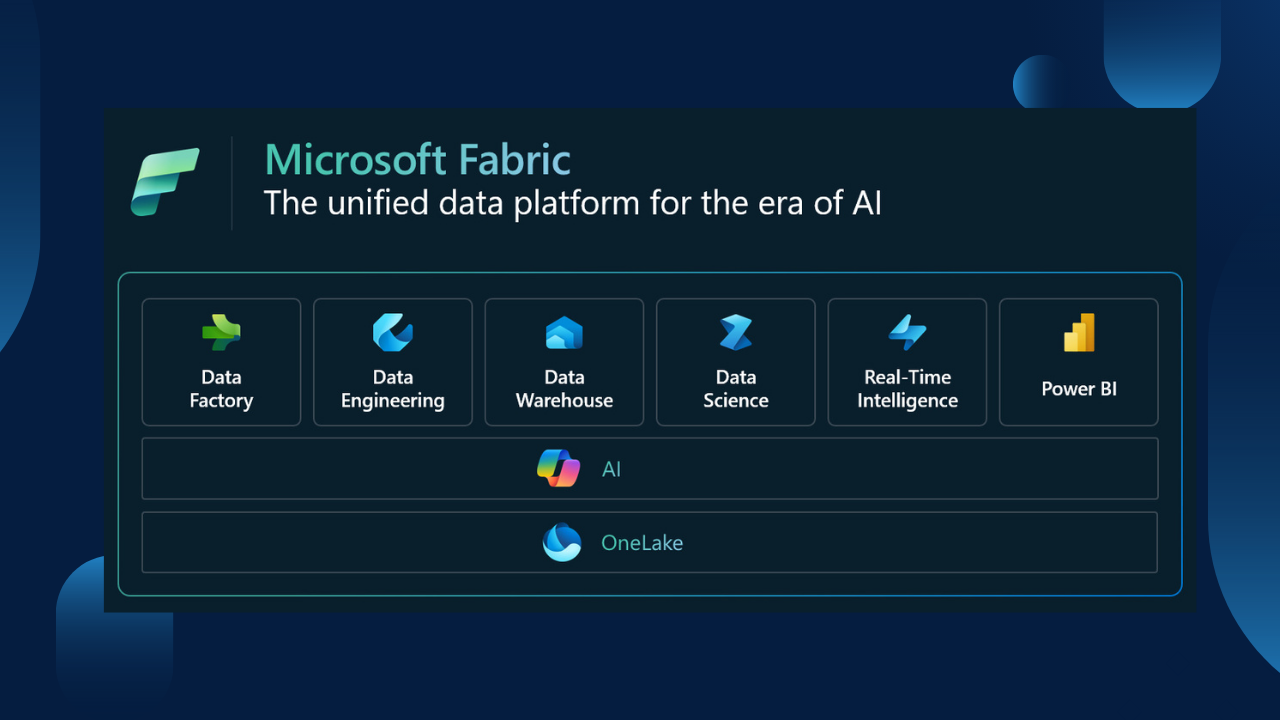
In today’s fast-paced digital landscape, data is the lifeblood of decision-making. Did you know that 67% of enterprises rely on integrated data solutions to support their analytics and BI platforms? Moreover, 81% of business leaders have increased their investment in data and analytics, and 74% are pouring more resources into AI initiatives. These statistics underline a crucial trend: organizations are placing a growing emphasis on utilizing data, analytics, and AI to enhance business performance and achieve their goals. The Need for Optimized Analytics Architecture As businesses prioritize analytics and AI, it’s essential to rethink and optimize your architecture to fully unlock the potential of these models. As a trusted Microsoft partner, we guide organizations like yours to maximize the benefits of Azure and its powerful tools. Introducing Microsoft Fabric: Revolutionizing Dynamics 365 Microsoft Fabric is redefining how Dynamics 365 users harness their data potential. With Microsoft Fabric, you get: End-to-End Data Integration: Seamlessly connect data across platforms for a unified view. Real-Time Analytics with AI-Driven Insights: Get actionable insights faster with advanced AI capabilities. Future-Proof Scalability: Scale effortlessly as your enterprise grows, ensuring long-term success. Seamless Integration with Dynamics 365 One of the most exciting recent developments from Microsoft is the general availability of Link to Microsoft Fabric, a no-copy, no-ETL direct link between Dataverse and Microsoft Fabric. If your organization uses Dynamics 365 or Power Platform with Power BI, Link to Fabric simplifies data integration, enabling low-code makers to securely derive AI-driven insights across business apps and data sources. With Link to Fabric, you can seamlessly connect to Microsoft Fabric from the Analyze menu in the Power Apps maker portal. The system validates your configuration and lets you choose a Fabric workspace without leaving the portal. Once confirmed, all your tables are securely linked to a system-generated Synapse Lakehouse in the selected Fabric workspace. Your data remains in Dataverse, and any updates are reflected in Fabric in near real-time. This integration allows you to work with all Fabric workloads like SQL, Python, and Power BI without the need for data copies or complex pipelines. Source: Microsoft Enhance Insights and Reduce TCO with Synapse Link For Dynamics 365 for Finance and Operations (F&O) customers, there’s better news. The Synapse Link for Dataverse service, built into Power Apps and the successor to the Export to Data Lake feature, is now generally available from Microsoft. By upgrading from the Export to Data Lake feature in F&O to Synapse Link, you benefit from improved configuration and enhanced performance, which translates to a reduction in total cost of ownership (TCO). How CompQsoft Can Help As a Microsoft partner with extensive experience in integrating various technologies and systems, we specialize in implementing cloud-scale analytics solutions. We understand the intricacies of the Azure ecosystem and can help you design, build & optimize the right analytics architecture for your business needs. With CompQsoft, you can: Transform Data at Scale: Handle massive amounts of data efficiently. Scale Compute and Storage Independently: Optimize resources without compromise. Leverage Sophisticated AI with Speed: Get ahead with advanced AI capabilities. Ready to Unlock Your Dynamics 365 Potential? Discover how your business can benefit from a centralized data and analytics platform. Explore our insightful report to learn more about implementing Microsoft Fabric and other Azure solutions that can transform your organization’s data strategy. By prioritizing these essential components and harnessing the cutting-edge innovations of Microsoft Fabric, IT decision-makers can maximize the value of their Dynamics 365 investments. Partner with CompQsoft on this path to ensure you remain at the forefront of the data-driven landscape.

Apr 22, 20255 min read
Blog Posts

Migrate Dynamics GP to Dynamics 365 Business Central – A Path to Future-Proof Your Business

Small and medium-sized businesses (SMBs) have long relied on Microsoft Dynamics GP (formerly Great Plains) to manage their financial and operational needs. However, as Microsoft plans to phase out Dynamics GP, SMBs must evaluate their options. In this blog, we’ll explore why migrating from Dynamics GP to Dynamics 365 Business Central makes sense, how it can benefit your business, and what steps to take to ensure a smooth transition. Why Is Microsoft Phasing Out Dynamics GP? Microsoft will discontinue the sale of new perpetual licenses for Dynamics GP in 2025 and subscription licenses in 2026. Full support for existing users will cease in January 2028. While you will continue to receive updates for tax and regulatory changes until then, Microsoft’s clear focus is on its cloud-based ERP systems, such as Dynamics 365 Business Central. For small and medium-sized businesses, this shift means evaluating whether to stick with Dynamics GP in its final years or upgrade to a more modern, cloud-based ERP solution. Staying on Dynamics GP might provide short-term comfort, but migrating to Business Central offers long-term value and growth potential. Implications of Staying on Dynamics GP Many businesses may stay with Dynamics GP until the end-of-life date in 2028. However, as Microsoft’s focus shifts away from GP, innovation in the platform will decline. This could leave businesses relying on outdated technology, making competing or scaling operations difficult. Moreover, there are ongoing costs associated with maintaining an on-premise solution like Dynamics GP: Licensing fees Infrastructure costs SQL Server licenses Database maintenance Annual maintenance costs (AMC) Upgrade costs These expenses add up, especially when compared to the benefits of a cloud-based ERP solution like Business Central, which offers a monthly subscription model, reducing the total cost of ownership (TCO). Roadmap Why Migrate Dynamics GP to Dynamics 365 Business Central? Dynamics 365 Business Central is Microsoft’s cloud-based ERP designed to meet the growing needs of SMBs. Unlike the aging Dynamics GP system, Business Central offers a modern, integrated platform that provides more advanced capabilities while eliminating the need for costly hardware or manual updates. Key features include: Cloud-based ERP : Reduce infrastructure costs and enjoy remote access and scalability flexibility. Streamlined Workflows and Automation : Improve productivity by automating repetitive tasks, from financial management to inventory tracking. Advanced Reporting and Analytics : Leverage built-in reporting tools and Power BI integration for real-time insights into your business. Automatic Updates : Stay up to date with the latest features and security updates automatically, without the need for manual efforts. Custom Applications : Build tailored applications with Microsoft’s Power Platform to meet specific business needs. AI-Powered Forecasting : Leverage artificial intelligence to predict market trends, inventory needs, and customer demand. Seamless Integration : Enjoy seamless connectivity with Office 365, Power Apps, Power Automate, and over 2,000 third-party apps, driving better collaboration and efficiency. Total Cost of Ownership (TCO) Comparison The shift to a cloud-based ERP like Business Central can significantly reduce the total cost of ownership. Here’s how: Licensing Costs : Unlike Dynamics GP’s perpetual license, Business Central operates on a subscription-based model, reducing upfront capital expenditure. Infrastructure and Maintenance : With a cloud-based system, there’s no need for costly servers or on-premises maintenance. Automatic Updates : Say goodbye to the expensive, time-consuming upgrades required for Dynamics GP. Business Central is automatically updated with new features and security enhancements. By transitioning to Business Central, SMBs can reduce their total ownership cost while gaining access to better technology and tools. Staying on Dynamics GP – Is It Worth It? Some businesses are hesitant to migrate from Dynamics GP, preferring the comfort of a familiar system. If you’re among those considering staying, there are options to ensure you make the most of your current investment. Upgrading to the latest version of Dynamics GP before support ends will provide access to recent features and security patches. However, this is only a temporary solution, as Microsoft will no longer release new versions or major feature updates after 2028. For businesses that want to stay on GP but are intrigued by the cloud, there’s also the option to host Dynamics GP on Microsoft Azure . This hybrid approach offers cloud benefits—such as improved security and accessibility—without abandoning the on-premises solution entirely. How to Migrate Dynamics GP to Dynamics 365 Business Central? Migrating from Dynamics GP to Business Central is a strategic move that requires careful planning. Here are the key steps: Assess Your Business Needs : Analyze your current use of Dynamics GP and identify gaps or inefficiencies that Business Central can address. Engage a Microsoft Partner : Work with a certified Microsoft partner to plan your migration. They will help with data migration, customizations, and user training to ensure a smooth transition. Data Migration : Ensure critical business data is accurately transferred from GP to Business Central. A partner will assist in data mapping, cleansing, and migration. User Training : Provide comprehensive training to utilize Business Central fully. Post-Migration Support : After migration, you’ll need ongoing support to optimize the system and ensure it meets your evolving business needs. Conclusion: Future-Proof Your Business with Dynamics 365 Business Central The end of Dynamics GP is inevitable, but SMBs can seize this opportunity to future-proof their operations by migrating to Dynamics 365 Business Central. With its robust cloud-based capabilities, seamless integration, and reduced TCO, Business Central empowers businesses to drive growth, improve productivity, and stay competitive in an evolving market. If you’re ready to start your migration journey, contact u s to guide you through the process and help you unlock the full potential of Dynamics 365 Business Central.

Apr 22, 20256 min read
Blog Posts

Dynamics GP to Dynamics 365 Finance and Operations Migration: The Complete Guide

Are you still relying on Dynamics GP to manage your financials? While Dynamics GP has been a reliable ERP solution for many years, businesses and their systems must evolve. If managing your operations is becoming increasingly complex, it may be the right moment to migrate to Dynamics 365 Finance and Operations (D365 F&O) . This modern ERP solution provides enhanced features designed to optimize business processes, improve decision-making, and lower costs. Let’s dive into why switching from Dynamics GP to D365 F&O is smart for your business. Why Migrate from Dynamics GP to Dynamics 365 Finance and Operations? As businesses scale, many find that Dynamics GP’s capabilities are no longer sufficient. The system struggles to keep pace with today’s fast-moving market demands, leading to challenges such as managing multiple integrations, performing manual data transfers, and lacking real-time visibility into operations. These limitations can impede growth and efficiency, making a more advanced ERP solution a necessity. Introduction to Dynamics 365 Finance and Operations Dynamics 365 Finance and Operations is Microsoft’s premier cloud-based ERP solution, crafted to assist large enterprises in efficiently managing their financials, supply chain, and everyday operations. Built on the robust Microsoft Dataverse platform, it seamlessly integrates with other Microsoft applications like Power BI and Excel, offering a cohesive experience across your entire business ecosystem. The platform boasts advanced automation, predictive analytics, and flexible customization options, allowing businesses to tailor the system to their unique requirements. Dynamics 365 Finance and Operations offers powerful tools designed to unify your financial and operational data, automate routine tasks, and provide AI-driven insights. Migrating to D365 F&O enables businesses to streamline processes, eliminate silos, and make more informed decisions, all while leveraging the power of the cloud. Key Features of Dynamics 365 Finance and Operations Integrated Financial and Operational Management: Dynamics 365 Finance and Operations bridges the gap between financial management and other business operations, providing real-time visibility and control over your enterprise. Advanced Analytics and AI Integration: Harness the power of integrated AI and machine learning features to gain predictive insights, detect emerging trends, and identify anomalies, enhancing your decision-making process. Unified Data Model – The Microsoft Dataverse ensures seamless data connectivity throughout the organization, enabling more informed insights and better decision-making. Real-Time Reporting and Analysis – With Power BI integration, Dynamics 365 F&O offers secure, cloud-based reporting, promoting more agile and effective financial management. Scalability – Its multilingual user interfaces, currency support, and global financial management capabilities make it an ideal solution for multinational organizations. Key Advantages of Migrating to Dynamics 365 Finance and Operations Migrating to Dynamics 365 Finance and Operations (D365 F&O) offers a host of advantages that make it the preferred ERP solution for growing enterprises. These include streamlined operations, advanced capabilities, data-driven decision-making, cost optimization, increased flexibility, enhanced security and compliance, and scalability. Streamlined Operations – Automate manual tasks, eliminate data silos, and unify your operations for enhanced efficiency. D365 F&O integrates seamlessly into your existing workflow, ensuring smoother processes and better organizational coherence. Advanced Capabilities – D365 F&O offers sophisticated tools for managing complex financial, supply chain, and operational processes, catering to the detailed needs of modern businesses. This advanced capability empowers your team to manage intricate tasks with confidence, ensuring smooth operations and business growth. Data-Driven Decision-Making – Leverage real-time insights and analytics to make informed decisions that drive business growth. D365 F&O transforms raw data into actionable intelligence with integrated AI and machine learning. Cost Optimization – Cloud-based solutions eliminate the need for expensive infrastructure, reducing overhead costs and ensuring scalability. This adaptability helps businesses manage resources more efficiently and flexibly, providing a sense of financial security and control. Increased Flexibility – D365 F&O is customizable to meet your business’s unique needs and can be tailored to specific industry requirements. This flexibility ensures that the ERP system grows and evolves alongside your business. Enhanced Security and Compliance – With built-in compliance tools, businesses can manage global regulations and safeguard their data. D365 F&O ensures that your operations adhere to the highest security standards, protecting sensitive information. Real-Time Reporting and Analysis – With Power BI integration, Dynamics 365 F&O provides secure, cloud-based reporting that promotes agile and effective financial management. Copilot in Dynamics 365 Finance and Operations Integrated into Dynamics 365 Finance and Operations, Microsoft Copilot is an AI-powered assistant that enhances user productivity. It automates routine tasks, provides intelligent insights, and helps your team manage their daily tasks more efficiently. This reduces the mental load on your team, allowing them to focus on higher-value work. Key capabilities of Copilot include: Automating administrative tasks such as generating reports and managing purchase orders. AI-powered chatbots that help users find information or troubleshoot issues. Providing more intelligent recommendations for inventory management, purchasing decisions, and project management. Streamlining status reports and automating routine communications. Migration Options – Dynamics GP to Dynamics 365 F&O Here are options for transitioning from Dynamics AX to Dynamics 365 Finance and Operations: 1. AX 2012 R3 to Dynamics 365 Finance and Operations – Lift and Shift For enterprises using Dynamics AX 2012 R3, we offer a streamlined ‘Lift and Shift’ approach. This involves migrating your existing code from AX 2012 R3 directly to Dynamics 365 Finance and Operations. Our team then thoroughly tests the migrated system to ensure everything functions smoothly, minimizing disruptions and accelerating your upgrade process. 2. AX 2009 to Dynamics 365 Finance and Operations – Reimplementation If you’re on AX 2009, a direct upgrade is not possible. Instead, a reimplementation process is required. Our experienced team has successfully guided numerous enterprises through the comprehensive transition, offering end-to-end support to ensure smooth and efficient migration to Dynamics 365 Finance and Operations. Migration Approach – Dynamics GP to Dynamics 365 Finance and Operations Migrating from Dynamics GP to Dynamics 365 Finance and Operations requires careful planning. Here’s how a structured migration approach works: Migration Assessment – Conduct a thorough analysis of your existing systems and gather insights from key stakeholders. This process helps identify specific requirements, integration needs, and any customizations required. Recommendations – Create a detailed report based on findings, outlining necessary licenses, project estimates, and timelines. This also includes a comprehensive blueprint of the solution for seamless execution. Project Execution – Secure the necessary licenses, plan the migration, and execute the transition with minimal disruption. Ensure your team is adequately trained on D365 F&O to maximize its capabilities. Next Steps – Partnering with a Trusted Expert Choosing the right partner is essential for a smooth and successful migration. At CompQsoft, we specialize in Dynamics 365 migrations, offering end-to-end services that include consulting, solution customization, deployment, and ongoing support. Our expertise ensures that your transition from Dynamics GP to Dynamics 365 Finance and Operations is seamless, enabling increased productivity and a significant return on investment. Let us help you take the next step in modernizing your business. Partner with CompQsoft to unlock the full potential of Dynamics 365 Finance and Operations and elevate your organization to new heights.

Apr 22, 20254 min read
Blog Posts

How to Prepare for the End of Support for Dynamics GP?

Microsoft recently announced that product support and updates for Microsoft Dynamics GP will end on September 30, 2029, with security patches continuing until April 30, 2031. This signals a major shift for businesses relying on Dynamics GP (formerly Great Plains), prompting many to ask: “What’s next?” If your organization depends on Dynamics GP, now is the time to explore your future ERP options to avoid service disruptions and ensure your business remains competitive. In this blog, we’ll explore your options and provide critical insights into how to plan for the end of Dynamics GP support effectively. Understanding the Dynamics GP End of Support The phase-out of Dynamics GP marks the end of an era. Although the official “end of life” date has been set, many businesses may choose to stick with GP until 2029 or even beyond. However, operating on unsupported software poses several risks, including security vulnerabilities, compliance issues, and a lack of technical support. CompQsoft is here to help you navigate this transition smoothly, ensuring you make an informed decision that best suits your organization’s needs. Your Next Steps: Stay or Migrate? So, what are your options? Businesses currently using Dynamics GP have two main paths forward: continue using GP or migrate to a modern cloud-based ERP solution , such as Dynamics 365 Business Central. Continue with Dynamics GP Companies looking to maximize their current investment in Dynamics GP can continue using the platform for several more years. However, staying on GP comes with challenges, particularly as updates and support will no longer be available after 2029. Here’s how you can mitigate risks while staying on GP: Azure Hosting: Transition to hosting Dynamics GP in Microsoft Azure, ensuring your system remains secure and cost-effective. Support Arrangements: Work with trusted partners to develop a tailored support plan that extends beyond the end of official support. CompQsoft offers expert guidance on safely maintaining your Dynamics GP system for as long as necessary. Migrate to Cloud-based ERP – Dynamics 365 Business Central For businesses ready to embrace the future, migrating to Dynamics 365 Business Central offers a cloud-based, AI-powered ERP solution designed to drive business growth and efficiency. Dynamics 365 Business Central provides significant advantages over Dynamics GP, including: AI-Powered Tools: Automate routine tasks and gain insights with AI-driven analytics. Cloud Capabilities: Access your ERP system anytime, anywhere, while reducing hardware costs. Scalability and Flexibility: Designed for small and medium-sized businesses (SMBs), Dynamics 365 Business Central can grow with your company, offering improved collaboration and data security. If the idea of migrating feels overwhelming, don’t worry. With proper planning, the transition can be seamless. CompQsoft helps you craft a detailed migration roadmap to minimize disruptions & ensure a smooth transition, whether you choose to migrate now or within the next few years. Why Migrate to Dynamics 365 Business Central? Migrating to Dynamics 365 Business Central is more than just upgrading your ERP system—it’s an investment in your company’s future. Here’s why: Future-Proof Your Business: With cloud-based infrastructure, your ERP system will always be up to date, improving your ability to scale, adapt, and innovate. Increased Efficiency: Automating processes and centralizing data increase operational efficiency and reduces manual errors. Lower Total Cost of Ownership: By moving to the cloud, you reduce hardware costs and IT maintenance efforts, creating a more cost-effective solution for long-term success. CompQsoft specializes in helping businesses like yours assess their unique needs, estimate migration costs, and leverage Microsoft funding programs that can help reduce overall migration costs. Take Action Now As the end of support for Dynamics GP approaches, it’s crucial to start planning your strategy, whether you plan to stick with GP or migrate to Dynamics 365 Business Central. CompQsoft offers a comprehensive assessment service to help your organization evaluate your options and guide you through a smooth transition. Our expert team is here to ensure you feel supported and confident in your decision. Contact us today to discuss your future with Dynamics GP and explore how our expert team can help you develop a customized transition plan that minimizes disruptions and maximizes value. Conclusion The end of support for Dynamics GP is not the end of the road—it’s an opportunity to explore how modern ERP solutions like Dynamics 365 Business Central can enhance your business operations. Whether you choose to extend the life of your Dynamics GP system or embrace the advantages of cloud-based ERP, CompQsoft is here to guide you through every step of the way.

Apr 22, 20255 min read
Blog Posts

QuickBooks to Microsoft Dynamics 365 Business Central Migration: A Path to Business Growth

As small businesses scale, they often need help in systems like QuickBooks that were initially ideal but now fall short in handling the complexities of growing operations. Upgrading to a more advanced platform like Microsoft Dynamics 365 Business Central could provide the flexibility and features needed to support continued growth. While QuickBooks serves basic accounting needs, Dynamics 365 Business Central goes beyond, offering an end-to-end solution designed for expanding businesses with evolving operational requirements, instilling a sense of confidence and empowerment in small business owners. The Challenges with QuickBooks for Growing Businesses QuickBooks remains a convenient option for startups and small businesses with straightforward accounting needs. However, as companies grow, they begin to encounter challenges, including: Limited Functionality : QuickBooks primarily supports core accounting functions like invoicing, bill payments, and payroll. It needs more capabilities for complex operations such as inventory management, project tracking, and business intelligence. Costly Add-ons : Scaling QuickBooks requires expensive add-ons, which drive up costs without necessarily meeting all business needs. Inadequate Security : QuickBooks’ file structure can make data vulnerable to unauthorized modifications, a significant risk for growing businesses. No Advanced Business Integrations : Integrating QuickBooks with productivity tools or advanced applications is difficult, limiting business productivity. These constraints make it challenging for businesses that require advanced functionalities to operate efficiently. In contrast, Dynamics 365 Business Central is a comprehensive ERP solution offering integrated features across accounting, CRM, inventory management, and more—all built to scale your business, providing a sense of reassurance and security. Why Migrate QuickBooks to Dynamics 365 Business Central? The advantages of migrating from QuickBooks to Business Central are vast. As a comprehensive cloud-based ERP system, Dynamics 365 Business Central is designed for growth and offers benefits that QuickBooks cannot match. Dynamics 365 Business Central QuickBooks Ideal for businesses with complex needs in project management, inventory, manufacturing, reporting, and security. Suitable for small businesses with basic accounting tasks like invoicing and taxes. Scalable as the business grows, with rich customization options. Limited scalability and costly add-ons required for expanded functionality. Provides seamless integration with Microsoft products like Office 365 and Power BI. Limited integrations primarily focused on simple add-ons. Robust data security and compliance features. Basic security features only. Consistent experience across cloud and on-premise versions, leveraging the Dynamics shared codebase. Upgrading QuickBooks often requires substantial effort due to different platforms across its products. Key Challenges in Migrating from QuickBooks to Business Central Migrating financial and operational data from QuickBooks to Dynamics 365 Business Central can be complex. Here are some common migration challenges: Data Compatibility : QuickBooks and Business Central have different data structures, making it critical to map data fields carefully to avoid errors. Customization Differences : Unlike the relatively rigid QuickBooks, Business Central offers significant customization options. Planning and aligning your business needs with Business Central’s capabilities is essential while still being able to upgrade with each new release. Data Cleansing : Cleansing data before migration is necessary to eliminate duplicates, correct errors, and ensure consistency. Testing : Post-migration, it’s crucial to test the accuracy of data transfer. This step ensures that every transaction, customer record, and financial detail is correctly transferred, guaranteeing the integrity of your data. Employee Training : To ensure a smooth transition, training your teams to navigate Business Central’s interface and use its functionalities effectively is vital. This step is critical to maximizing the benefits of the new system. Key Features of Dynamics 365 Business Central Dynamics 365 Business Central is known for its extensive features that simplify business management and help scale operations. Some of its top features include: Financial Management : Streamlined financial processes with real-time reporting and analytics capabilities. Supply Chain and Inventory Management : Efficient tools to manage suppliers, inventory levels, and stock operations. Project Management : Capabilities to track projects, allocate resources, and monitor budgets. Customer Relationship Management (CRM) : Integrated CRM tools for customer interactions, sales, and customer support. Advanced Data Security : Robust security and compliance options to protect sensitive business data. Enhanced Reporting and Analytics : Real-time data insights to support data-driven decision-making. Migration Methods from QuickBooks to Business Central There are several migration methods to transfer your data effectively from QuickBooks to Business Central. The right approach depends on your current data and migration goals: QuickBooks Data Migration Extension : Designed for both QuickBooks Desktop and Online, this extension enables the migration of core data elements like customers, vendors, items, and accounts into Business Central. Data Migration Wizard : Business Central includes a built-in Data Migration Wizard, accessible through Assisted Setup, simplifying the migration process. Manual Export and Import : This method involves exporting data from QuickBooks and importing it into Business Central. While it demands more manual effort, it allows for highly customized data mapping. Third-party Tools and Services : Numerous third-party migration tools streamline the process, especially useful for businesses with complex or high data volumes. Why Choose CompQsoft for QuickBooks to Dynamics 365 Business Central Migration? Partnering with an experienced service provider can simplify the transition from QuickBooks to Dynamics 365 Business Central. CompQsoft, a certified Microsoft Gold Partner, brings unparalleled expertise in Microsoft Dynamics 365 and a proven track record with successful ERP migrations. Here’s how CompQsoft can make a difference: Microsoft-certified Team : CompQsoft’s consultants are certified in Microsoft Business Central, bringing expert knowledge and experience to your project. Cost-effective Implementation : Our team takes a streamlined, efficient approach to ensure a cost-effective migration experience, providing you with the best value for your investment. Extensive Experience with Dynamics NAV : Having worked with older versions of Dynamics NAV, CompQsoft understands the intricacies of ERP systems and how to ensure seamless transitions, giving you peace of mind during the migration process. Custom Solutions : We offer tailored solutions to meet each client’s specific needs, optimizing Business Central’s potential to drive business outcomes. Final Thoughts QuickBooks’ limitations can hinder growth for small and midsize businesses looking to scale. Migrating to Dynamics 365 Business Central unlocks robust capabilities to manage complex business operations, gain valuable insights, and support decision-making. With the proper preparation, data management, and training, this migration can set the stage for sustained growth and agility. Choosing a skilled partner like CompQsoft can further streamline the migration process, ensuring that your business leverages Dynamics 365 Business Central’s full potential.

Apr 22, 20255 min read
Blog Posts

Microsoft Dynamics 365 vs. Salesforce: Which CRM is Right for Your Business?

Dynamics 365 vs. Salesforce: A Detailed Comparison to Help You Choose the Right CRM Customer Relationship Management (CRM) systems have become important for businesses aiming to deliver exceptional customer experiences and drive growth. Among the top contenders in the CRM space are Microsoft Dynamics 365 and Salesforce , both widely recognized for their robust capabilities. While both platforms excel in empowering businesses to improve sales, marketing, and customer service, their differences in features, deployment options, integrations, and pricing make it essential to evaluate which one aligns with your business needs. Let’s explore each platform’s key differences, features, and advantages to help you make an informed decision. What is Microsoft Dynamics 365? Microsoft Dynamics 365 is a unified business application suite that combines CRM and ERP functionalities. It offers integrated sales, marketing, customer service, finance, operations, and more platforms. Focusing on seamless connectivity to the broader Microsoft ecosystem, Dynamics 365 enhances productivity and collaboration for businesses of all sizes. Key Features of Dynamics 365 Sales Automation: Streamlines sales processes and improves lead management. Customer Service Management: Delivers personalized customer support. Marketing Automation: Empowers businesses with tools for creating and managing campaigns. Customer Analytics: Provides actionable insights through AI-driven data analysis. Dynamics 365 CRM modules include Sales , Customer Service , Field Service , Remote Assist , Customer Insights , and Commerce , making it a versatile tool for various industries. What is Salesforce? Salesforce is a cloud-based CRM platform known for its user-friendly design and powerful features. It offers a 360-degree view of customers, tracking their interactions, preferences, and history. Salesforce’s modular approach caters to specific business needs, such as sales, service, marketing, commerce, and community management. Key Modules of Salesforce Sales Cloud : Optimizes sales processes and lead nurturing. Service Cloud : Enhances customer service with AI and automation tools. Marketing Cloud : Streamlines marketing campaigns and audience targeting. Commerce Cloud : Supports e-commerce operations and personalized shopping experiences. Experience Cloud : Facilitates collaboration and customer engagement. Salesforce’s strength lies in its vast ecosystem of applications and its commitment to innovation through AI-powered solutions like Einstein. Head-to-Head Comparison: Dynamics 365 vs. Salesforce Feature Salesforce Microsoft Dynamics 365 Deployment Options Cloud-only Cloud and on-premises flexibility Integrations Extensive third-party integrations via AppExchange Seamless integration with Microsoft tools like Outlook, Excel, and Teams User Interface Modern but less familiar to new users Familiar interface consistent with Microsoft apps Industry Specialization Extensive vertical solutions Expanding with Common Data Model AI Integration Einstein AI offers advanced insights AI-driven features like Copilot for industry-specific use cases Pricing Slightly more expensive, especially Marketing Cloud Generally competitive, often more cost-effective for SMBs Extensions Wide variety of apps on AppExchange Apps available on Microsoft’s AppSource Deployment Flexibility Dynamics 365 supports both cloud and on-premises deployment, giving businesses more control over their data. Salesforce, on the other hand, is exclusively cloud-based. Integration Capabilities Microsoft Dynamics 365 seamlessly integrates with Microsoft products such as Microsoft Teams, SharePoint, Excel, and Outlook , making it an ideal choice for organizations already using Microsoft’s ecosystem. Salesforce excels in third-party integrations through its AppExchange and robust APIs. AI-Powered Insights Salesforce’s Einstein AI is deeply embedded across its modules, offering predictive analytics and automation. Dynamics 365’s AI capabilities, including Copilot , are tailored to specific industries like finance, healthcare, and retail, providing actionable insights and automation. User Experience Dynamics 365’s interface is consistent with other Microsoft applications, which accelerates adoption among users familiar with Microsoft products. Salesforce’s Lightning Experience offers a visually appealing and intuitive design but may require a learning curve for users. Why Choose Microsoft Dynamics 365 Over Salesforce? When selecting a CRM, the choice often hinges on how well the platform aligns with your existing infrastructure, scalability needs, and business priorities. Microsoft Dynamics 365 stands out for its unique strengths that can significantly benefit organizations seeking a robust, cost-effective, and future-ready CRM solution. 1. Seamless Integration with the Microsoft Ecosystem Dynamics 365’s integration capabilities are unmatched for organizations already using Microsoft tools such as Outlook, Excel, Teams, and SharePoint. This seamless connectivity boosts productivity and ensures that your team can work with familiar tools, eliminating the need for extensive training and reducing adoption barriers. 2. Cost-Effectiveness In comparison to Salesforce, Dynamics 365 is a more cost-effective choice, especially for small and mid-sized enterprises. Its attractive pricing model delivers substantial value while maintaining robust features, allowing businesses to access high-level functionalities without straining their finances. 3. Deployment Flexibility Unlike Salesforce, which is exclusively cloud-based, Dynamics 365 offers the flexibility of both on-premises and cloud deployments. This is critical for industries with stringent data sovereignty regulations or businesses that want complete control over their data and infrastructure. 4. Unified CRM and ERP Capabilities While Salesforce focuses solely on CRM, Dynamics 365 combines CRM and ERP functionalities into one integrated platform. This unification allows businesses to streamline processes across sales, customer service, marketing, finance, and operations, creating a truly connected enterprise. 5. Familiar and User-Friendly Interface For organizations already leveraging Microsoft products, Dynamics 365’s user experience feels consistent and intuitive. Employees familiar with Microsoft tools can easily adapt to Dynamics 365, accelerating user adoption and improving overall productivity. 6. Tailored AI-Powered Solutions Dynamics 365’s AI features, including Copilot, deliver actionable insights tailored to industry-specific needs. Whether financial forecasting, customer segmentation, or personalized marketing, Dynamics 365 leverages AI to help businesses make smarter, faster decisions. 7. Scalability Across Industries Dynamics 365’s expanding capabilities, built on the Common Data Model, enable it to cater to a wide range of industries. From retail to manufacturing, healthcare, and professional services, its versatility ensures a scalable solution as your business grows. Microsoft Dynamics 365 offers an unparalleled combination of cost-effectiveness, deployment flexibility, and seamless integration with Microsoft’s trusted tools. It’s ideal for businesses looking to optimize operations, maximize ROI, and future-proof their CRM investments. By choosing Dynamics 365, businesses are investing in a platform that supports end-to-end business transformation, not just a CRM solution. Conclusion: Work with an Expert Partner Choosing between Microsoft Dynamics 365 and Salesforce depends on your business goals, existing technology stack, and budget. Both platforms offer exceptional CRM and ERP capabilities, but their differences in deployment, integration, and AI offerings require careful evaluation. Consider partnering with an expert like CompQsoft to ensure a seamless implementation and maximize ROI. With proven experience implementing Dynamics 365 and Salesforce solutions, CompQsoft helps businesses tailor these platforms to their unique needs, ensuring optimal performance and scalability. Ready to find the perfect CRM for your business? Let us guide you through decision-making and accelerate your journey to customer success.

Apr 22, 20253 min read
Blog Posts

Unlocking Greater Insights with Analysis Mode in Business Central

The Power of Data Analysis for Business Decisions In today’s fast-paced business environment, data is more valuable than ever. Companies that can effectively harness and analyze their data are better positioned to make informed decisions, optimize operations, and drive growth. Microsoft’s Business Central offers a powerful tool to achieve this: Analysis Mode. Understanding Analysis Mode Analysis Mode in Business Central is designed to help users dive deep into their data, uncovering valuable insights that might otherwise remain hidden. This feature allows for comprehensive data examination, supporting various types of analysis including financial, performance, and operational reviews. Key Features of Analysis Mode Analysis Mode is packed with functionalities that make it an indispensable tool for businesses. Some of its key features include: Customizable Reports: Users can create and tailor reports to focus on the metrics that matter most to their business. Advanced Filtering Options: This allows users to concentrate on specific data points, enhancing the precision of their analyses. Interactive Dashboards: Visual representations of data make it easier to understand trends and patterns at a glance. Real-time Data: With access to up-to-date information, businesses can make more timely and relevant decisions. Export Capabilities: Analysis results can be exported to various formats for further examination or sharing with stakeholders. Benefits of Using Analysis Mode in Business Central The advantages of leveraging Analysis Mode in Business Central are manifold. Here are some key benefits: Enhanced Decision-Making By providing detailed insights into various aspects of business operations, Analysis Mode enables executives and managers to make more informed decisions. Whether it’s identifying profitable trends, managing expenses, or forecasting future performance, the ability to analyze data comprehensively is crucial. Operational Efficiency Analysis Mode helps in pinpointing inefficiencies and areas for improvement within the organization. By examining workflows, resource allocation, and process performance, businesses can streamline operations and boost productivity. Financial Visibility With customized financial reports and real-time data, businesses can maintain a clear view of their financial health. This visibility is essential for budgeting, financial planning, and ensuring fiscal stability. Strategic Planning Long-term strategic planning is greatly enhanced through the use of Analysis Mode. Companies can identify market trends, customer behavior, and competitive dynamics, enabling them to craft strategies that are robust and forward-looking. Improved Collaboration The ability to share insights and reports easily fosters better collaboration among teams. Analysis Mode supports a collaborative environment where data-driven decisions are made collectively, enhancing team cohesion and performance. Real-World Applications Retail Industry: A retail company used Analysis Mode to track sales performance across different regions. By analyzing customer purchasing patterns, they were able to tailor their marketing strategies and inventory management, resulting in a significant boost in sales. Manufacturing Sector: A manufacturing firm leveraged Analysis Mode to monitor production efficiency and resource utilization. This led to the identification of bottlenecks and the optimization of their supply chain processes, enhancing overall productivity and reducing costs. Financial Services: A financial services provider utilized Analysis Mode to gain insights into client portfolios and market trends. This enabled them to offer more personalized investment advice and improve client satisfaction. Getting Started with Analysis Mode To begin using Analysis Mode in Business Central, users can follow these steps: Navigate to the Analysis Mode: Access this tool () from the many list pages in Business Central. Select the Data Set: Choose the specific data set you wish to analyze. Apply Filters: Use filtering options to home in on the relevant data points. Create Reports: Design customized reports that meet your analytical needs. Analyze and Interpret: Examine the results, identify trends, and derive actionable insights. Share Findings: Export and share reports with stakeholders for collaborative decision-making. Conclusion In the increasingly data-driven world of business, the ability to analyze and interpret data is paramount. Business Central’s Analysis Mode provides a powerful platform for businesses to unlock valuable insights, enhance decision-making, and drive operational efficiency. By embracing this tool, companies can stay ahead of the curve and thrive in their respective industries.